

For shops in Hungary that ship with Magyar Posta (MPL): post offices, partner points and MPL parcel lockers for customers, MPL labels for you.
Before you start
A business contract with MPL and an ÉnPostám account with API access for your company (see the next section).
For cash on delivery: the 24-digit number of the bank account where MPL should pay out COD money.
Plan: Lite to connect Magyar Posta and show pickup points, Full to create labels.
No test mode. Every label you create is a real shipment.
Get API access from MPL
MPL sets up API access, not ShipDock. The process as MPL described it:
The person who will manage the API keys registers in ÉnPostám (MyPost) as a private individual, unless they already have an account.
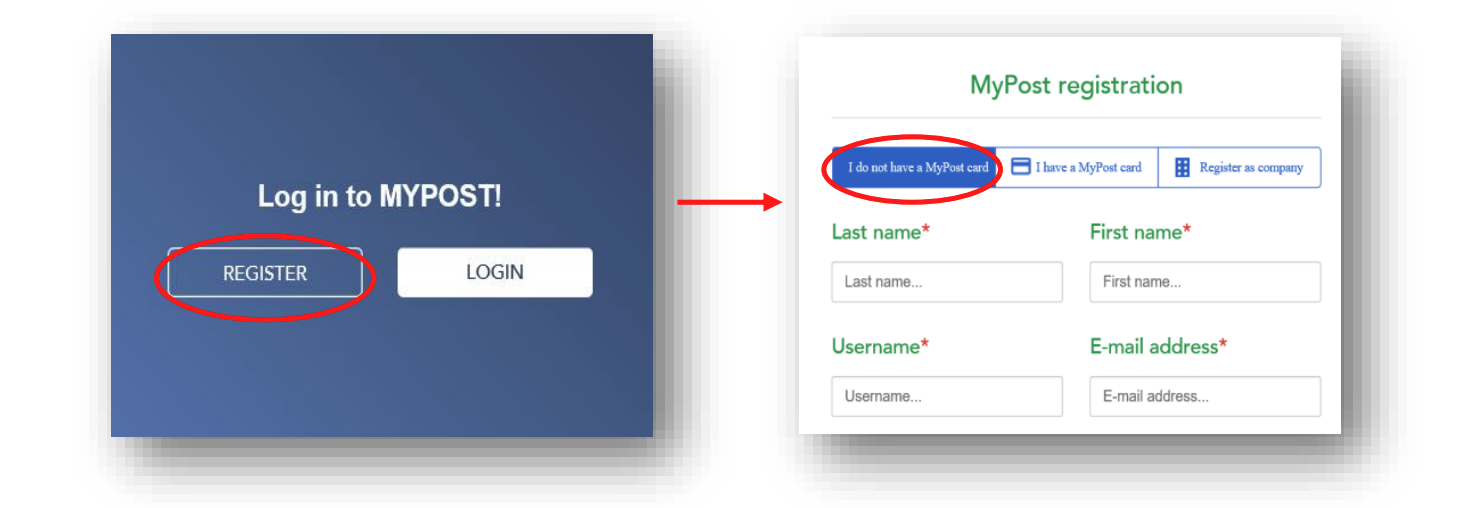
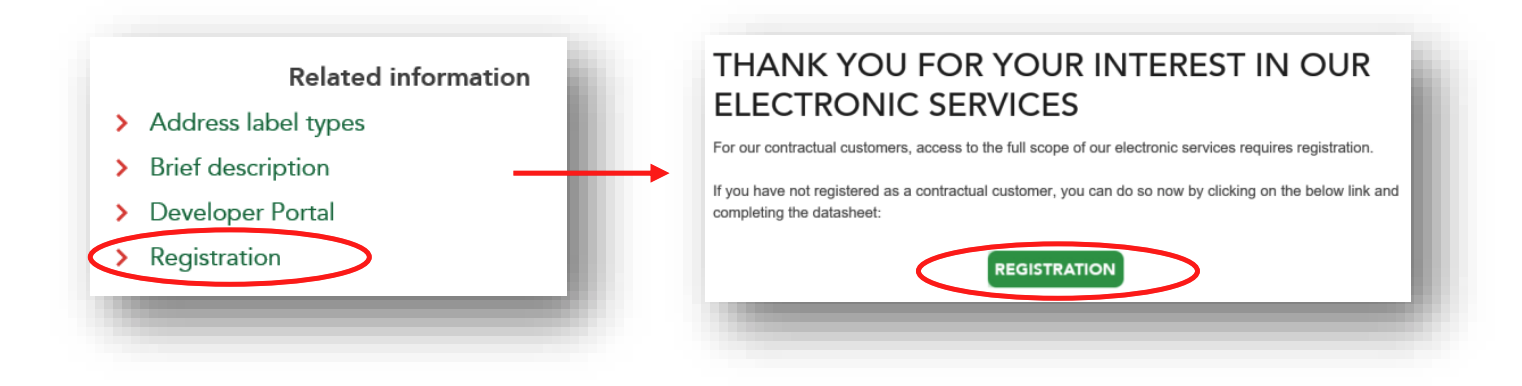
On the MPL API page, open Registration, fill in the Excel form with that person's and the company's details, and email it to [email protected].
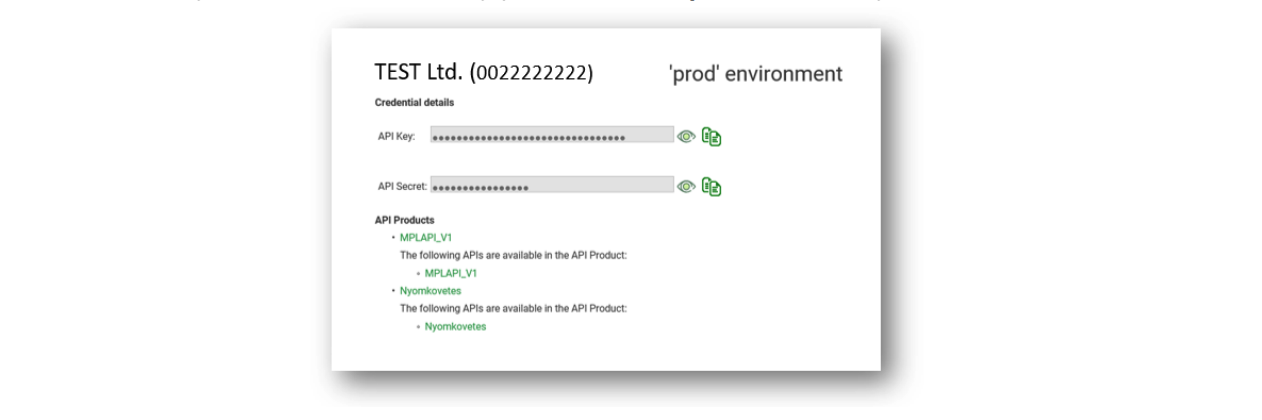
After MPL's confirmation email, the person logs in to the developer portal at devportal.posta.hu/devapps with their ÉnPostám login and switches to the company view.


At the bottom of the page they copy the production key pair: API Key and API Secret.
Connect Magyar Posta
Open Providers, click Create provider and choose Hungary in the country selector.
On the Magyar Posta card, click Select.
In the Connection card, turn on Connect provider throught API.
Enter Api Key and Api Secret (developer portal, company view), Accounting code (developer portal, Applications page) and Agreement (your agreement code from ÉnPostám or your MPL contract).
In Sender details, fill in Name, Organization, Street, City, ZIP Code, Phone and Email. The phone must be a Hungarian number in international format, for example +36201234567.
For COD: in COD Details, enter the Account number, the sender's 24-digit bank account number.
In the Status panel, choose Active and click Save.
Then set up the rates on the Pickup points and Home delivery tabs: see How to set up shipping rates. For home delivery, choose the service Business Parcel.
Pickup points
Post offices, partner points and MPL parcel lockers in Hungary. To hide a type, use the Exclusion card on the Pickup points tab: Parcelshop, MagyarPosta box.
Magyar Posta pickup points work only with the widget display mode List with Map: see How to choose the pickup point widget display mode.
What works with Magyar Posta
Home delivery: Yes, Business Parcel
Pickup points: Yes, Hungary
Cash on delivery (COD): Yes, needs the Account number in COD Details
Mark COD as paid automatically: No
Cancel from the app, Test mode: No
Insurance: Yes, per order: Edit order → Override insurance value
Label formats: PDF, Labels, A6 on A6 and Labels, A6 on A4, 4pcs/page
Limits
Shipping within Hungary only.
Mark COD orders as paid in Shopify yourself after MPL pays you.
Deleting a parcel in Orders removes it only from ShipDock. Cancel the shipment with MPL as well.
Troubleshooting
Label creation fails with an error about the sender phone. Enter the phone as +36 followed by the number, without spaces.
Label creation fails for a COD order. Check that Account number in COD Details has exactly 24 digits.
Authentication error. Check that Api Key and Api Secret are the production pair from the company view, not a personal or test key.
For errors that apply to every courier, see How to connect a courier.