

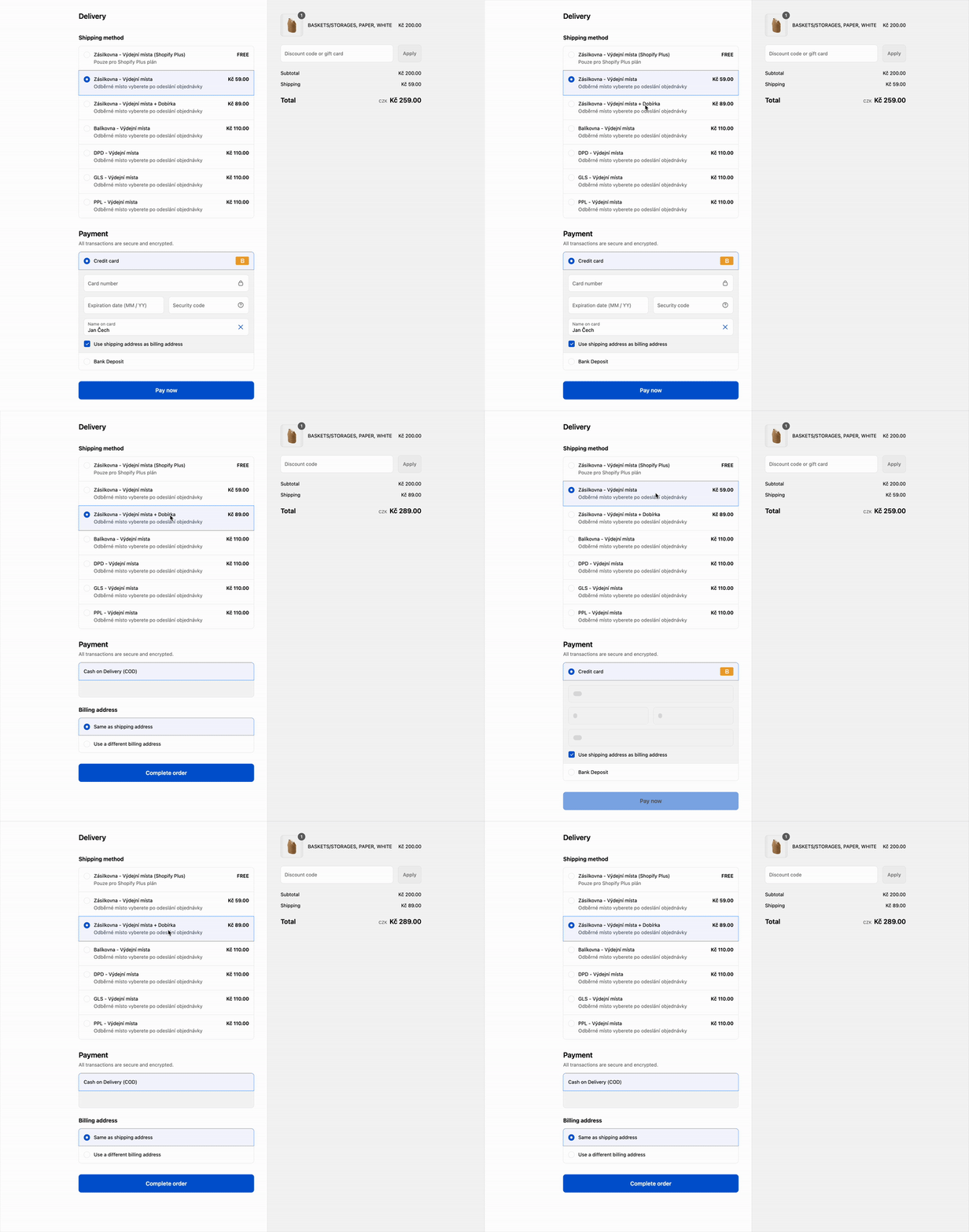
With this rule, the payment methods in checkout depend on the name of the shipping rate the customer picked. A rate with one of your keywords shows only COD payment methods; a rate without a keyword hides them.
Before you start
You need a paid plan (Lite or higher). Without it, the Enable switch is locked.
Your COD payment method is active in Shopify: How to set up cash on delivery (COD).
A COD method with another name than Cash on Delivery (COD) is in your Custom payment methods list. Otherwise the rule treats it like a card payment.
Step 1: Put a keyword in the names of your COD rates
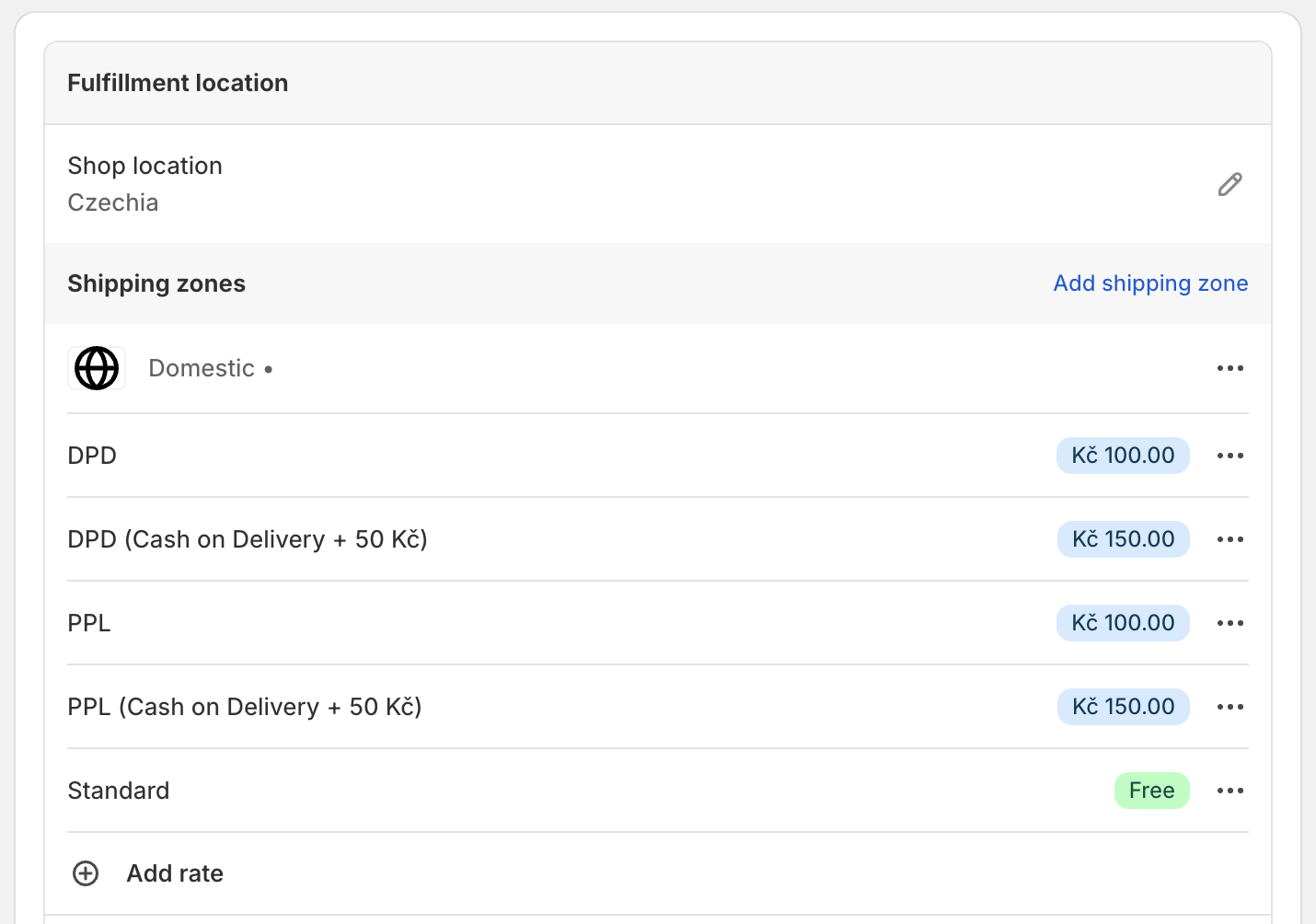
Use two versions of each rate, for example PPL and PPL (Cash on Delivery + 50 Kč).
Manual rates mapping: in Shopify Settings → Shipping and delivery, create a copy of each rate with the keyword in its name.
CCS - Dynamic Rates: on the courier's tab, click Add shipping rate under the country and put the keyword into the Shipping name.
CCS - Nearest Pickup Points: put the keyword into the Shipping name. COD is then allowed for every nearby point.
Step 2: Map the new rates to the courier
Only for rates created in Shopify (CCS rates already belong to the courier). Otherwise the orders are "not assigned to any provider".
In ShipDock, open Providers and select the courier.
On the Pickup points or Home delivery tab, add the new rate name to the Manual rates mapping, next to the original rate.
Save.
Step 3: Turn on the rule in ShipDock
Open Settings → Cash on Delivery.
In the Cash on Delivery fee card, turn on Enable.
Under Cash on delivery keywords, check Your keywords. The defaults are Cash on delivery, COD and Dobírka; add more with Add keyword.
Click Save. ShipDock adds the payment customization "Hide COD for non selected shipping rates" to your Shopify store.
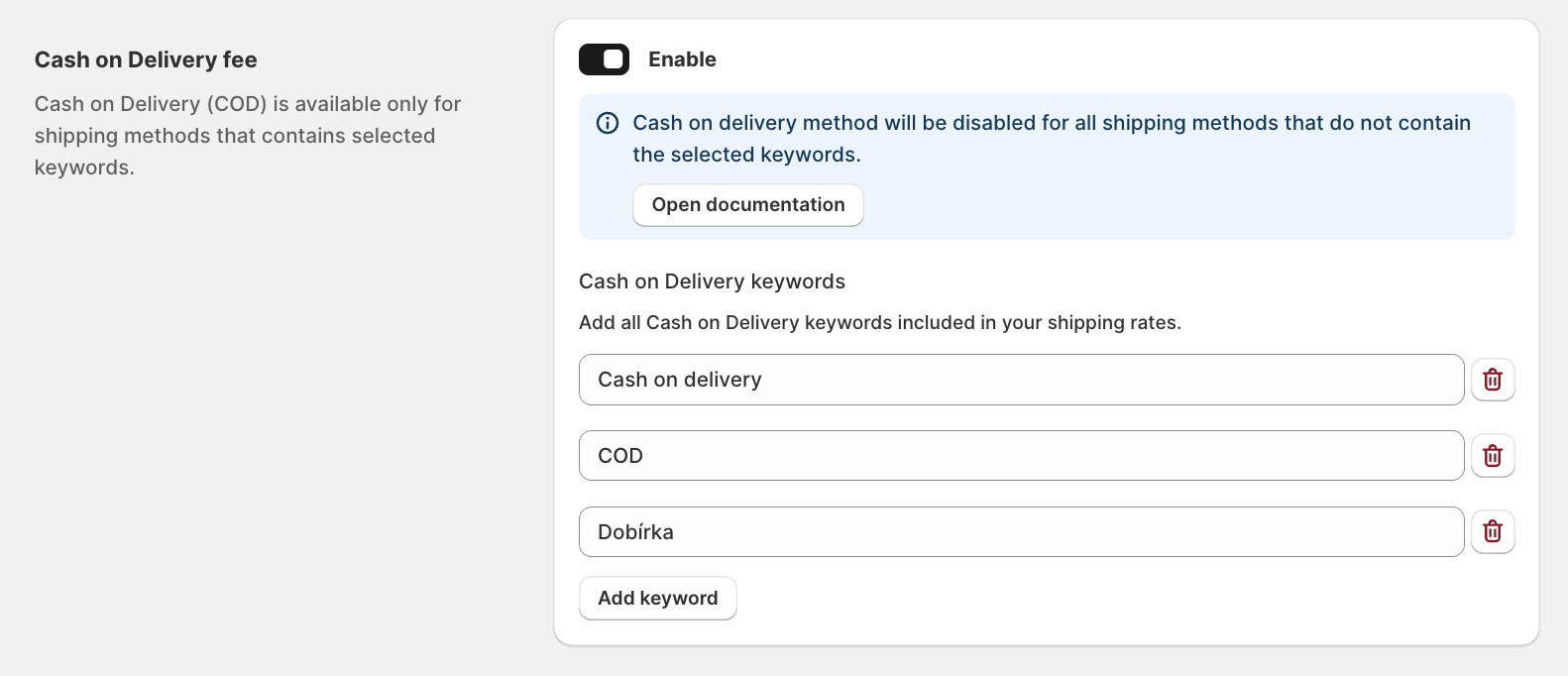
Important: Keep at least one keyword under Your keywords. With an empty list the rule does nothing and COD is offered for every rate.
Words under From the cart widget and Built in (the COD word of 23 languages, for example dobierka) also allow COD and can't be edited here.
What your customers see
Before a shipping rate is selected, all payment methods are visible, COD included.
Charge a COD fee
ShipDock adds no surcharge and does not edit the order. The fee is the price difference between the two rates: PPL costs 100 Kč, PPL (Cash on Delivery + 50 Kč) costs 150 Kč.
Limits
Keywords match any part of the rate name, in upper or lower case. COD also matches Barcode Express or a town like Codlea.
CCS - Nearest Pickup Points rate names can include the point's street or city, so a short keyword can match by accident. Use longer keywords.
A rate with a keyword allows only COD. Customers who choose it cannot pay by card.
Troubleshooting
COD is offered for every rate: the rule is not saved, Your keywords is empty, a keyword is too broad, or the payment customization was deleted in Shopify (save again).
COD is never offered: the rate name contains no keyword, or the COD method is not active in Shopify.
The switch is locked: to turn the rule off, delete "Hide COD for non selected shipping rates" in Shopify Settings → Payments, or upgrade.