Add the ShipDock block to both pages so customers choose or see their pickup point right after ordering, on every Shopify plan. Keep it even with the cart widget: it shows the point chosen in the cart and catches orders that skipped the cart.
Before you start
You need a paid ShipDock plan (Lite or higher). Without one, the block stays hidden from customers.
Connect a courier and set up its pickup point rates on its Pickup points tab.
The widget appears only for orders with a pickup point rate of an active courier, never for home delivery rates.
Add the block to both pages
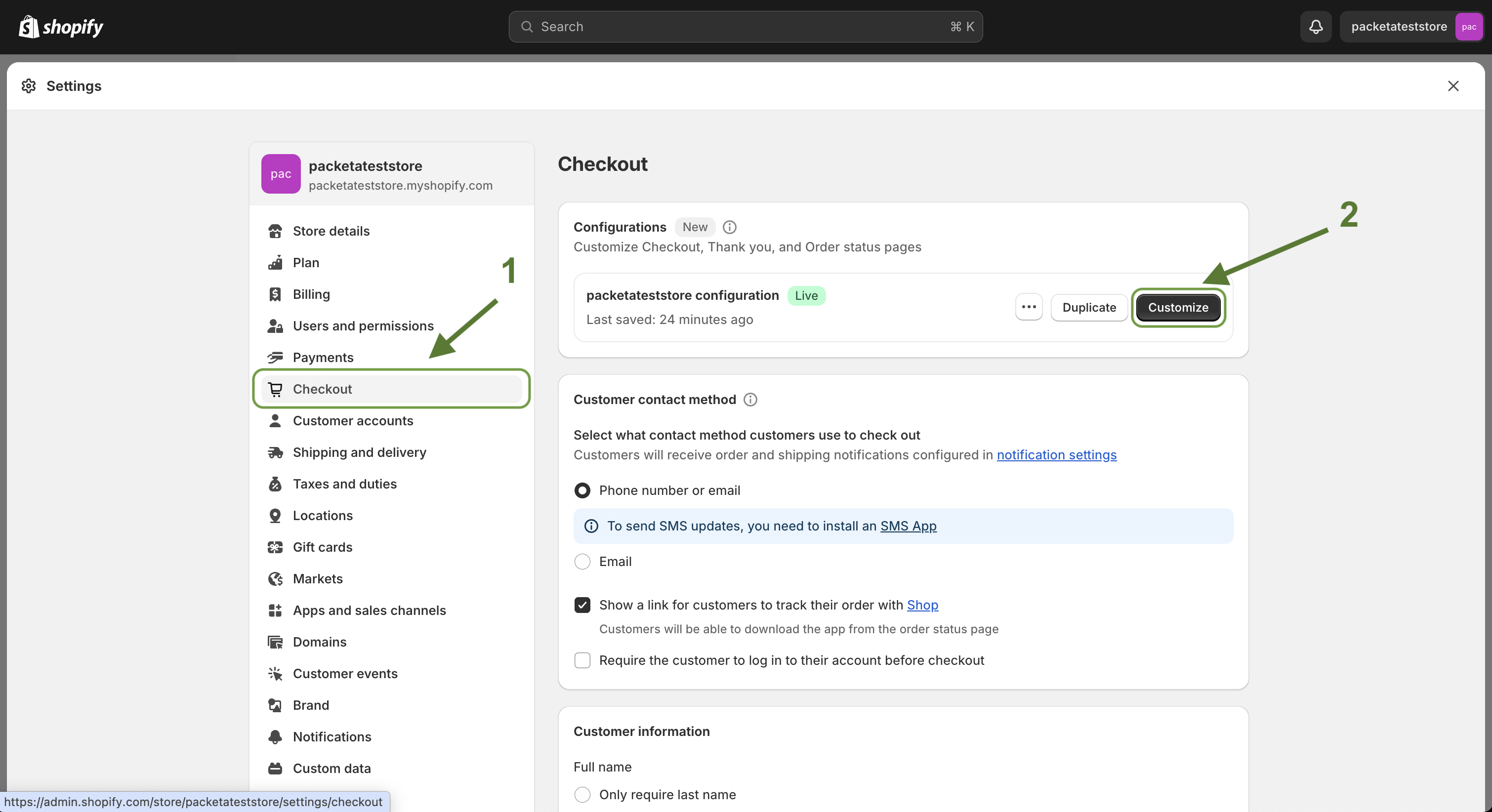
In Shopify admin, go to Settings → Checkout.
Next to the checkout configuration you want to edit, click Customize.
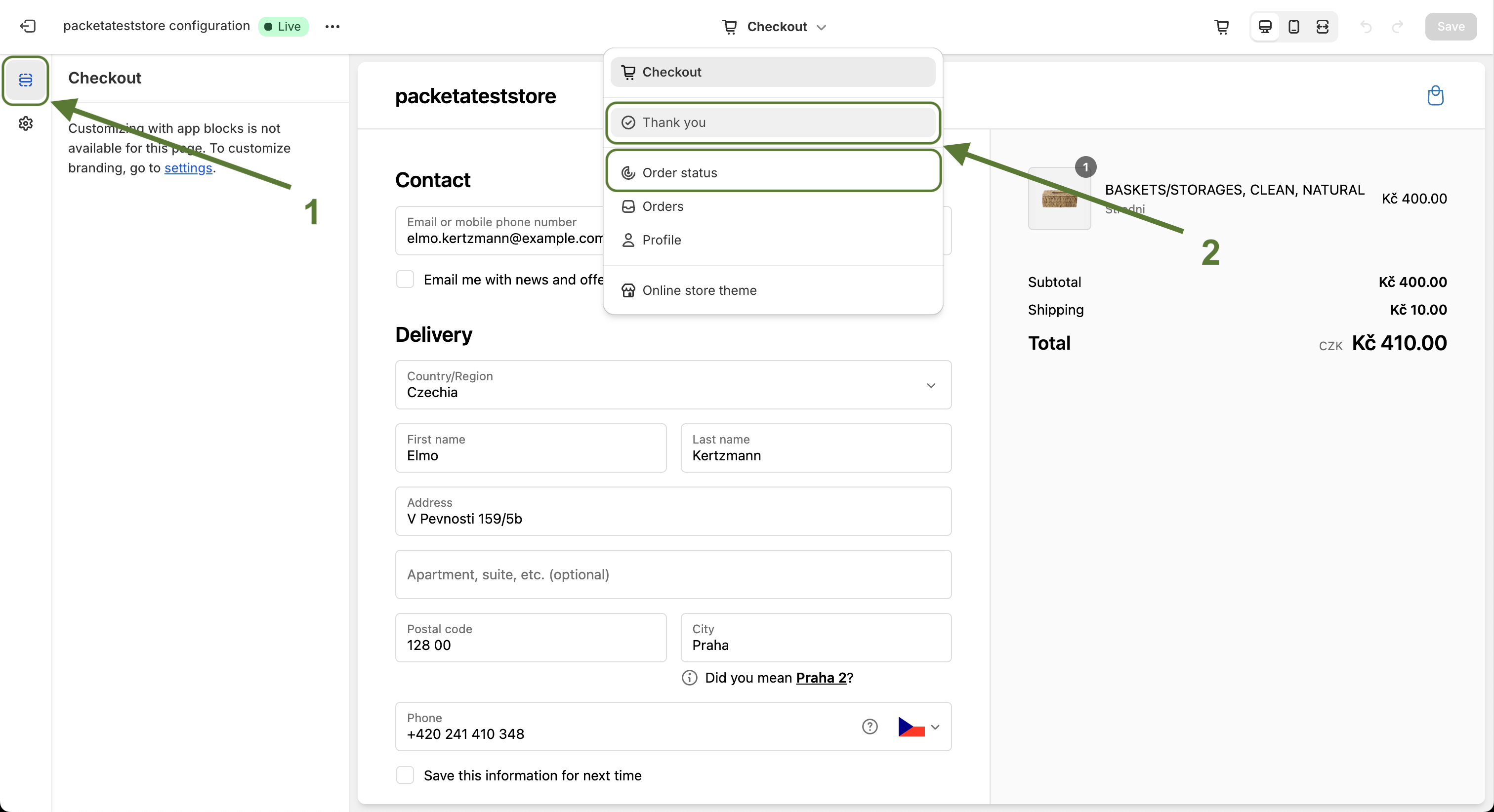
In the page selector at the top of the editor, choose the Thank you page.
Open the sections sidebar and click Add app block.
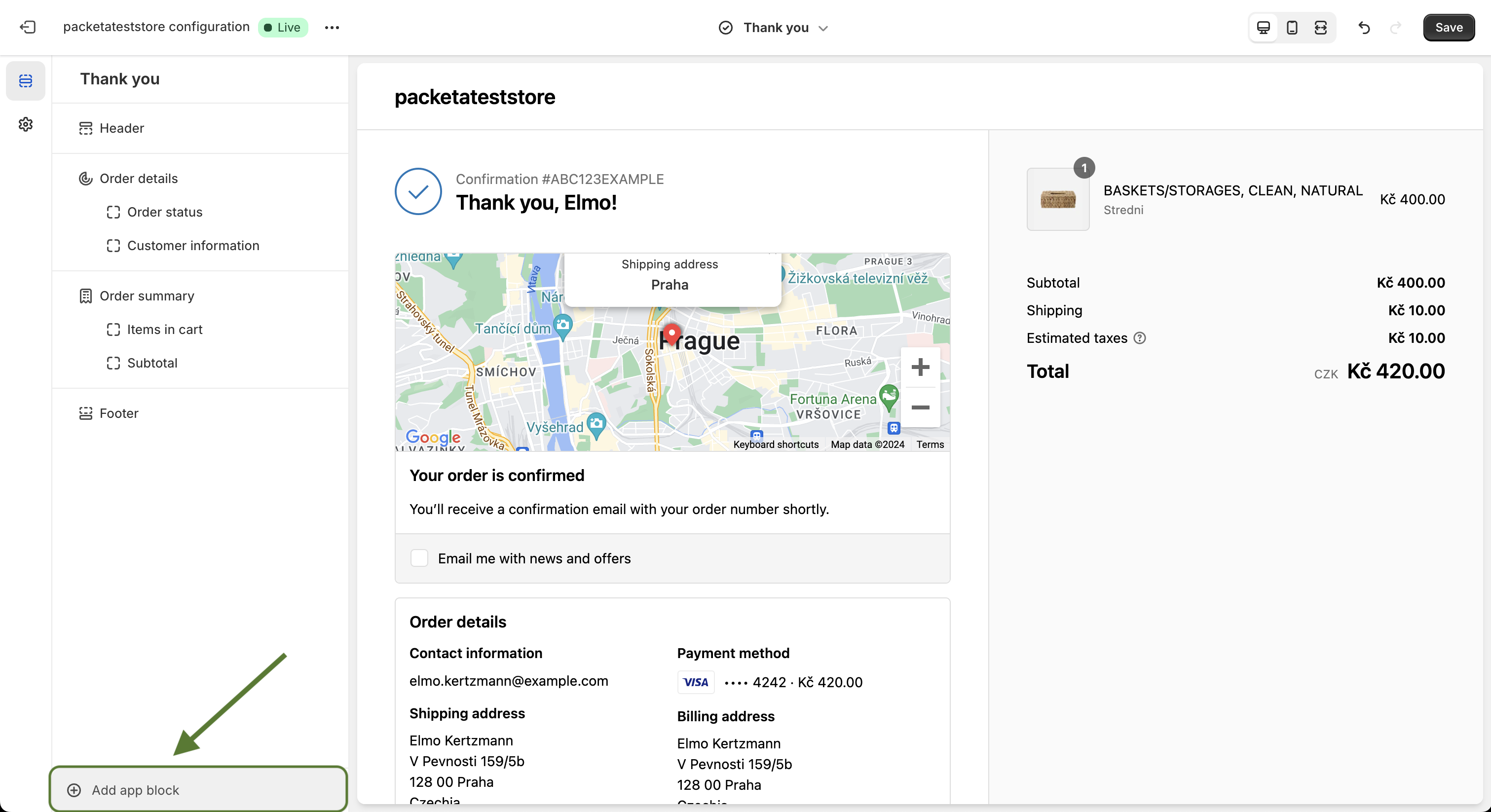
Choose Pickup point selector. Shopify places it in the recommended spot on the page.
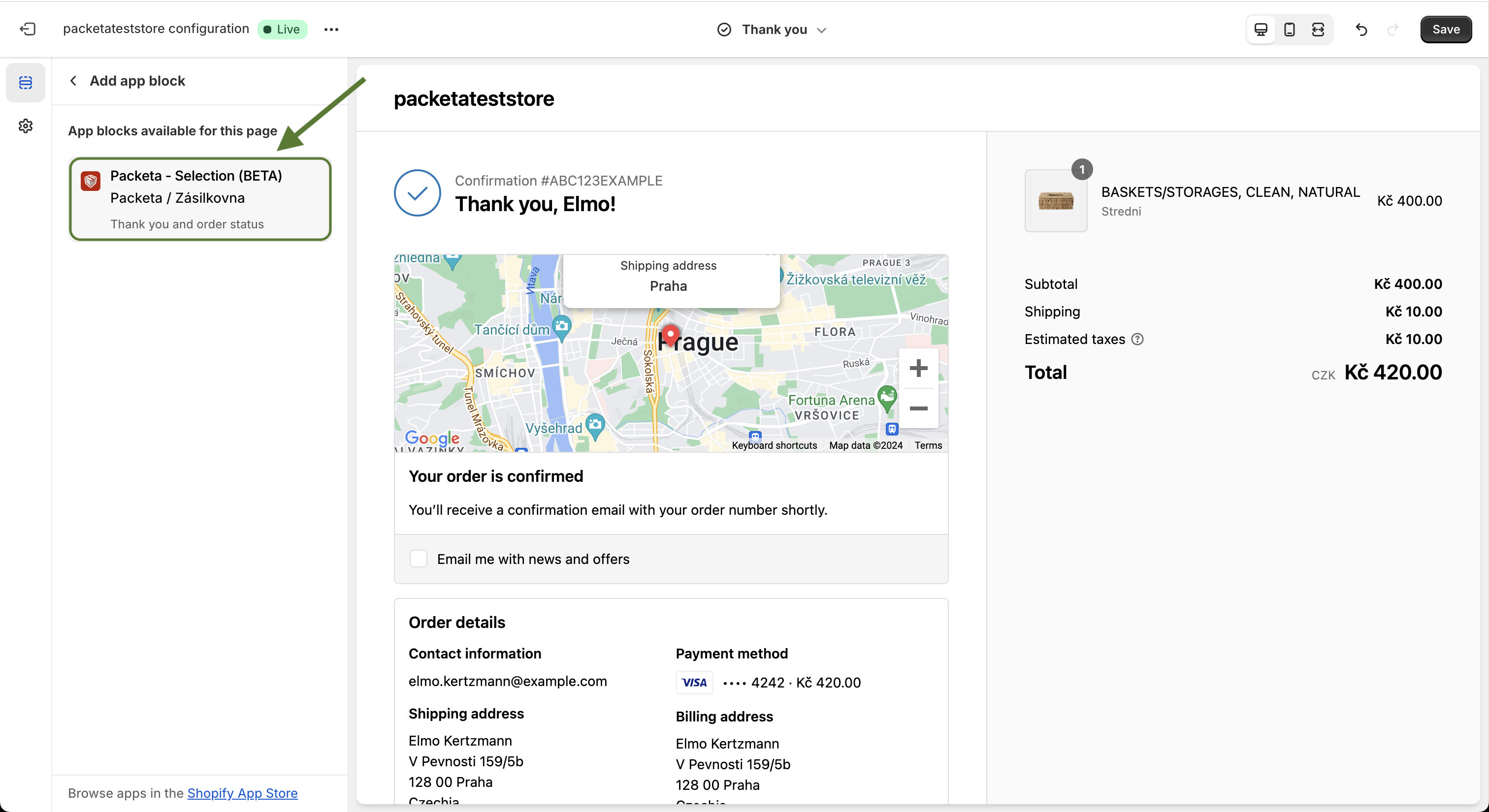
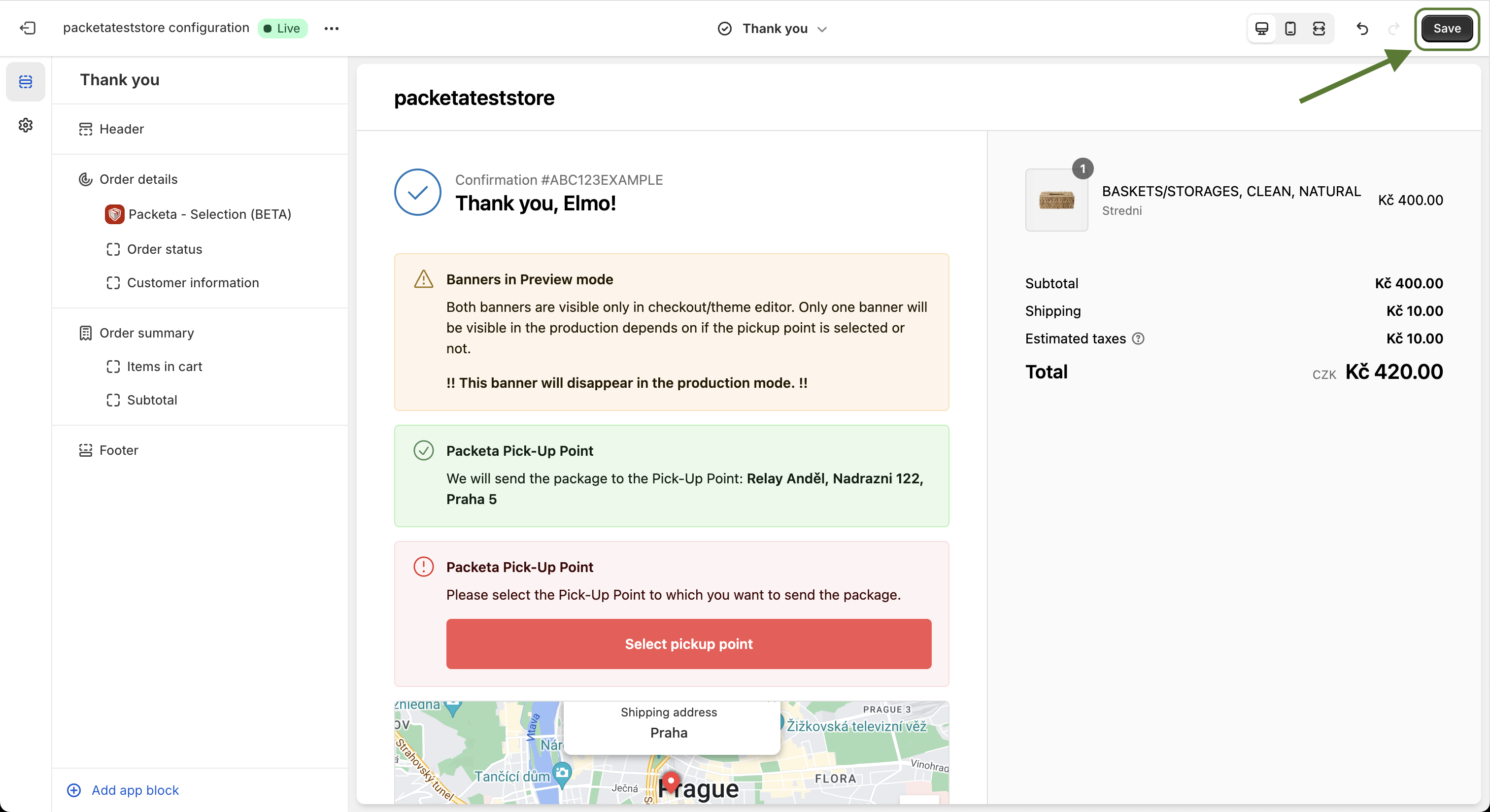
Click Save.
Switch the page selector to the Order status page.
Add Pickup point selector the same way and click Save.
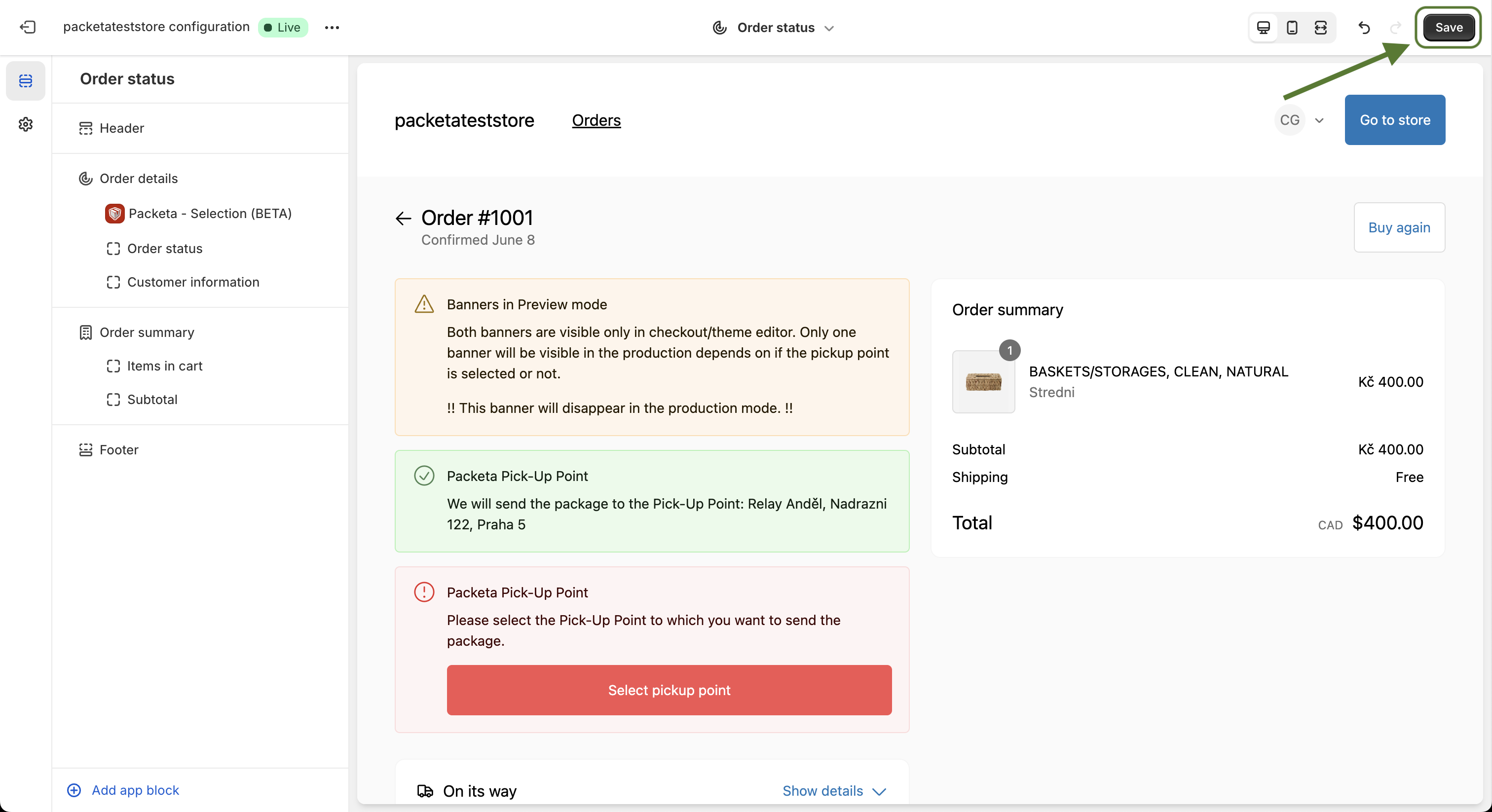
The screenshots and the video show the block under its earlier name Packeta - Selection.
Note: Add the block to both pages. The Order status page is where customers come back later, and where the pickup point reminder email sends them.
What your customers see
The look depends on Display mode (TY / OS page), see How to choose the pickup point widget display mode.
Banner (default without Shopify Plus): a red banner with a Select pickup point button that opens the courier's own map.
Banner works only for Packeta, DPD, PPL, GLS and Balíkovna. For other couriers, use List with Map.
List with Map (default on Shopify Plus): a Pickup point box with Search location and a list of nearby points. A Google Maps key adds Select from map.
For a DHL Packstation locker in Germany, List with Map also asks for the DHL customer number.
If the customer doesn't choose a pickup point
The order gets the tag
packeta_unselectedin Shopify, for every courier. Once a point is chosen, it changes topacketa_selected.In ShipDock Orders, the order shows Pickup point not selected. Click it to choose the point for the customer.
With the pickup point reminder email on, ShipDock emails the customer a link to their Order status page. Send reminder in Orders sends it again.
Troubleshooting
The widget does not show: check that the block is saved on that page, the courier is active and the order has a pickup point rate.
You renamed the rate in Shopify: update the name on the courier's Pickup points tab in ShipDock too.
"Upgrade your subscription" in the editor: your ShipDock plan does not include the widget, so it is hidden from customers. Choose a plan in Billing.
A point chosen in the cart is not shown: the shipping address is in another country than the point. The customer can choose again here.
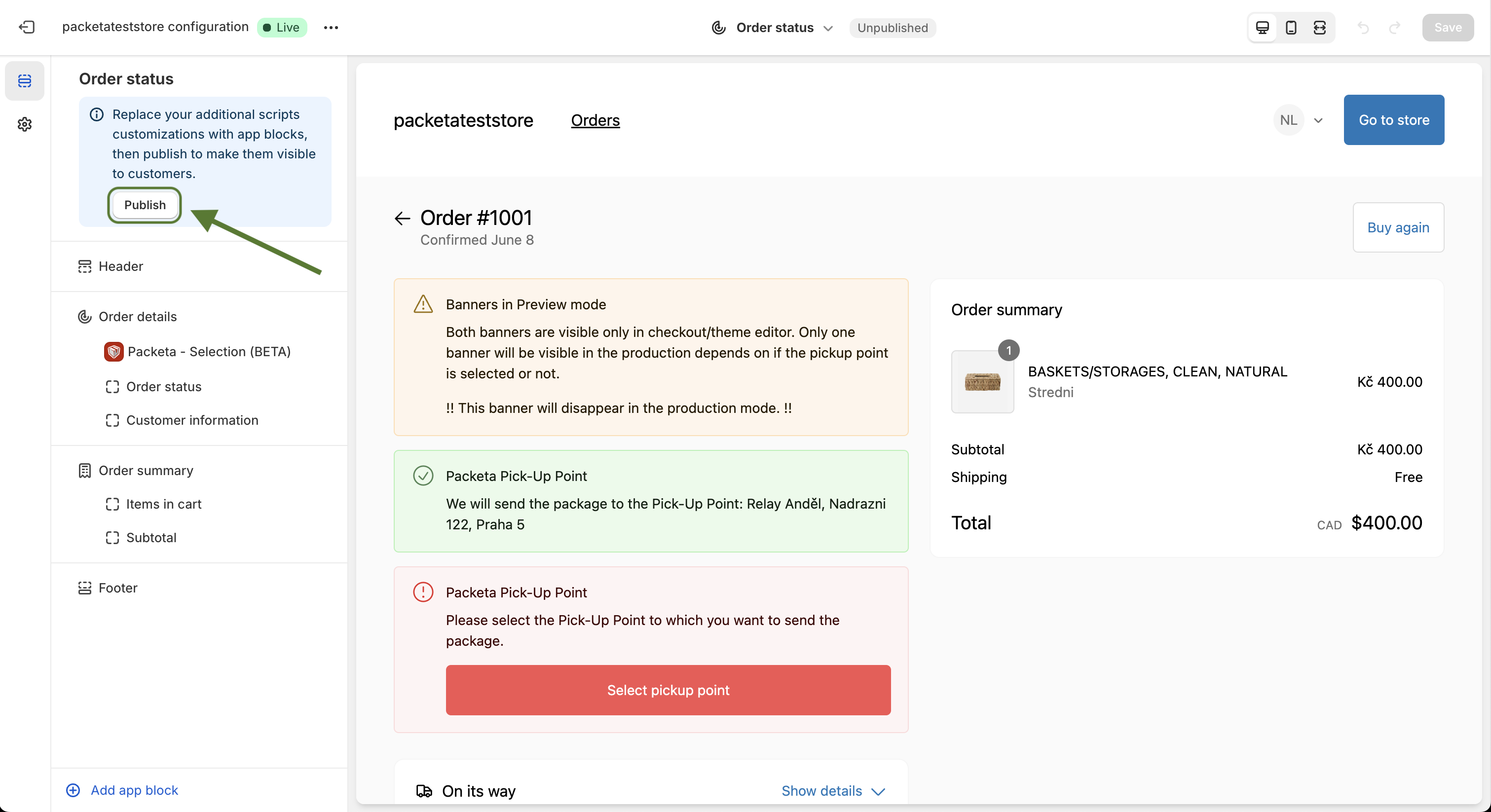
No Add app block option: if Shopify asks you to upgrade the Thank you and Order status pages, click Publish in the editor's sidebar first.